
MCP for planners and non-developers
Hi, I am Dante.
API and LLM advances
APIs have become familiar terms even to non-developers. An API is an interface for applications that allows programs such as web/mobile apps to display or update data in a database. Keeping that in mind makes it easier to understand MCP.
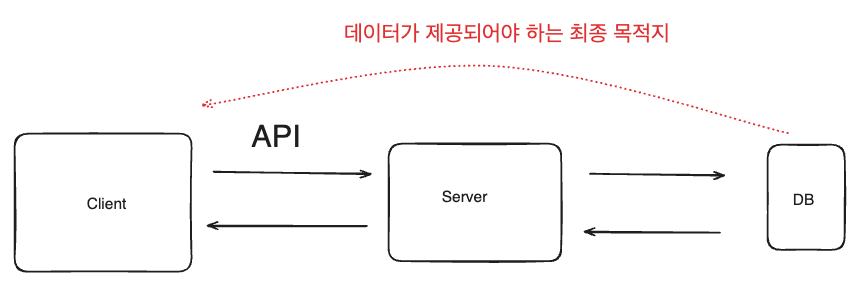
To display data stored in a database on the screen, the client must call an API provided by the server.
Today, people use LLMs not only for coding but also for statistics, research, and data exploration. Compared to the early days of ChatGPT, recent LLMs like DeepSeek, Claude, and the o3 models provide reasoning about a user's intent and use search to access URLs you provide for more accurate answers. The quality of answers depends heavily on how much relevant and accurate context you give the model.
Tools like Cursor and Windsurf connect LLMs to software so they can inspect code directly. By understanding the context of how developers follow code conventions, they deliver a great experience that people are willing to pay for.
AI agents and function calling, automation workflow tools
One notable difference in modern LLM apps compared to early LLMs is AI agents. This means using AI to perform tasks on behalf of users. In coding, for example, the agent can run tests, analyze whether failures are due to incorrect scenarios or code, and use the conversation history to reason about and solve more complex problems.
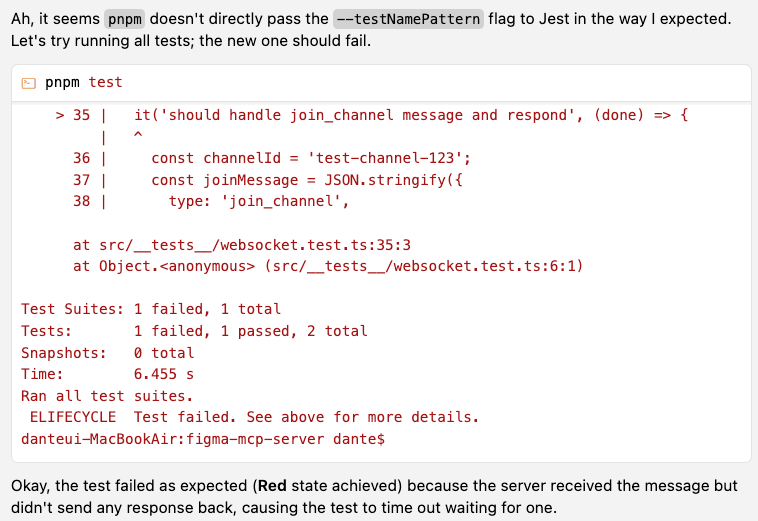
Cursor agent mode can diagnose why a test failed and update the test code by understanding the failure context.
Even non-developers can use AI agents to build workflows for task automation. By calling functions from services like Slack and combining them with LLM conversations, you can orchestrate more complex tasks. Function calling was introduced in June 2023. When you provide functions to a model API, the model can decide to call those functions.
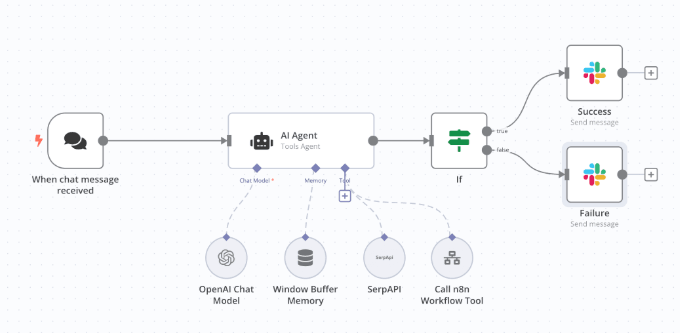
A workflow that uses n8n to perform a function call, then sends a Slack message based on success or failure.
To fetch information from external resources such as Confluence (JIRA), Git, databases, or Slack, each LLM model (Claude, GPT-4, Gemini) requires different interfaces to make those function calls. For example, to connect GitHub in automation tools like n8n or Make, you often need to implement different functions for GPT and Claude. When a better model appears, you have to re-implement functions again. That is even harder for people who are not comfortable with coding.
MCP
MCP standardizes how AI agents talk to external resources. We call this standard a protocol. MCP stands for Model Context Protocol.
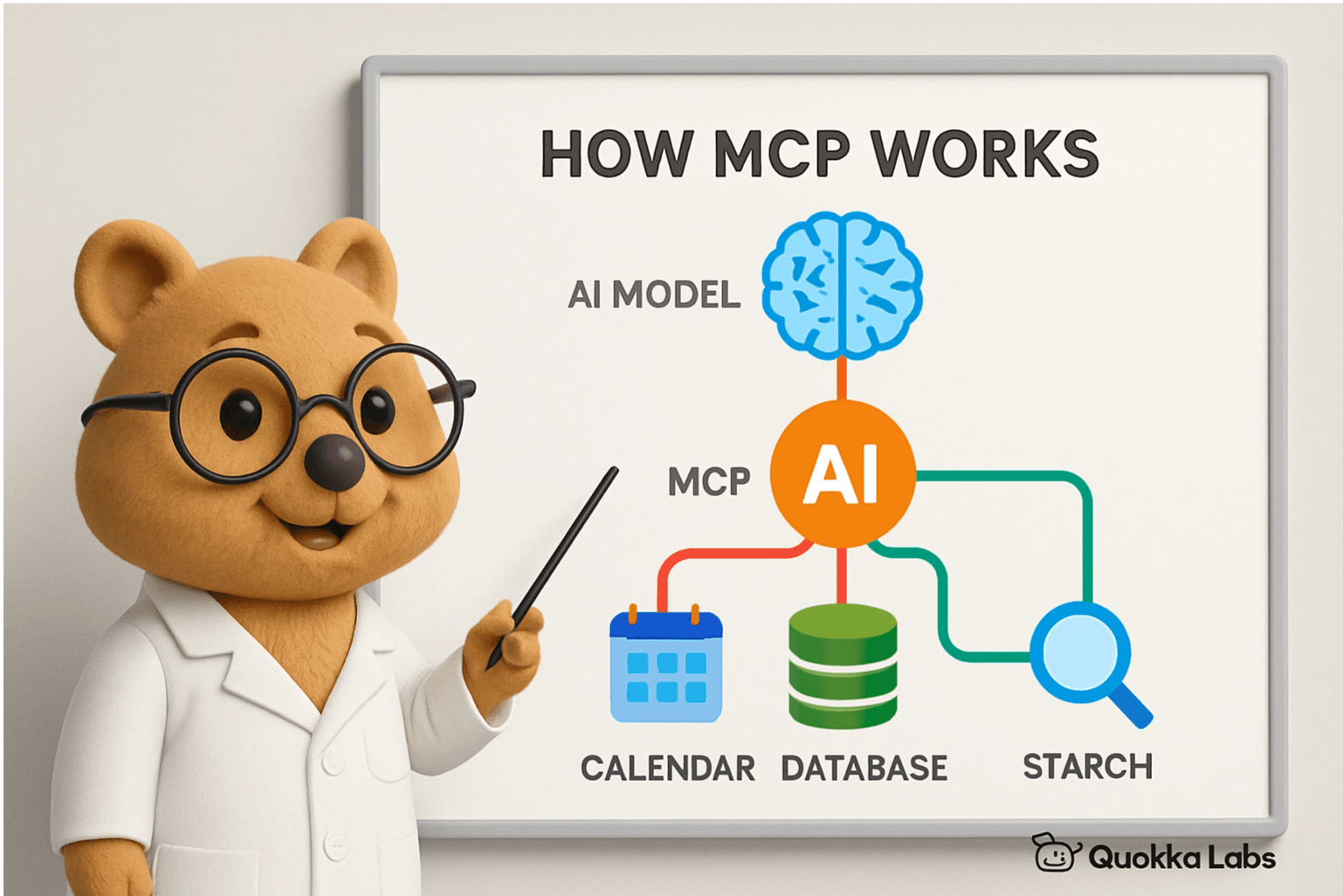
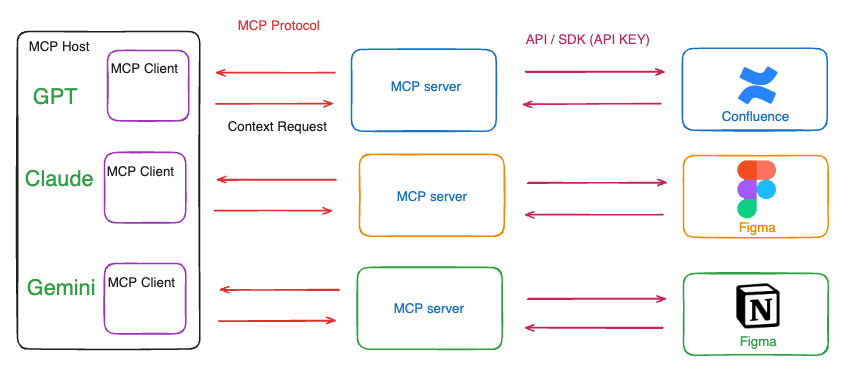
MCP clients are chat interfaces or agent programs that request and receive context from MCP servers. Examples include Cursor, Copilot, and Windsurf.
Because MCP lets different models use the same method to get context from external resources, the official page compares it to a USB-C port that can plug into many devices.
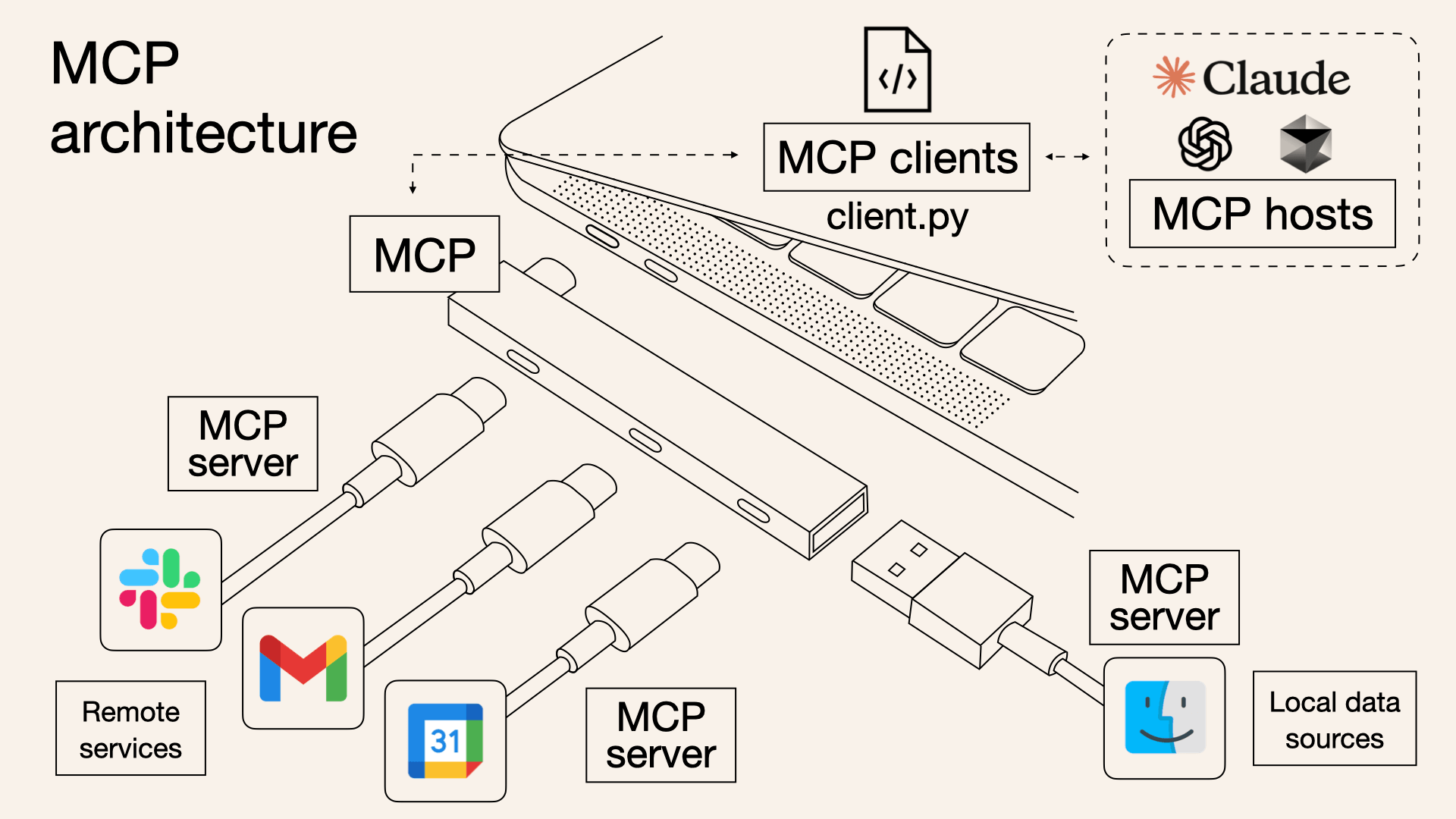
AI models do not communicate directly with services that provide resources. They communicate through the MCP interface. If an MCP server already exists for services like Google Drive or Slack, the AI model can access your information without extra coding. Like Lego blocks, you can assemble pieces of information from each service, which gives AI agents fast productivity when building new features.
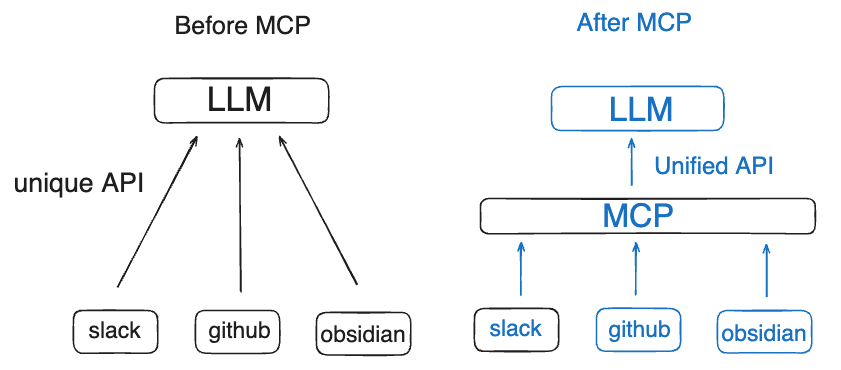
Try the Obsidian MCP server
Seeing your LLM model interact with an MCP server makes it easier to understand. This guide assumes macOS. If you already completed a step, move on.
Install Homebrew (skip if Python is already installed)
See https://brew.sh/ and install.
/bin/bash -c "$(curl -fsSL https://raw.githubusercontent.com/Homebrew/install/HEAD/install.sh)"Install Python (skip if already installed)
brew install python
Install uv (Python package manager)
Install uv so we can run the cloned obsidian-mcp server locally.
curl -LsSf https://astral.sh/uv/install.sh | shClone the obsidian mcp server code
The Obsidian MCP server can be referenced by MCP hosts (Claude Desktop) and MCP clients (Cursor). We will see how to connect it next. GitHub
git clone https://github.com/MarkusPfundstein/mcp-obsidian.gitInstall the Obsidian plugin
Install the local REST API plugin so the MCP server can read Obsidian files.
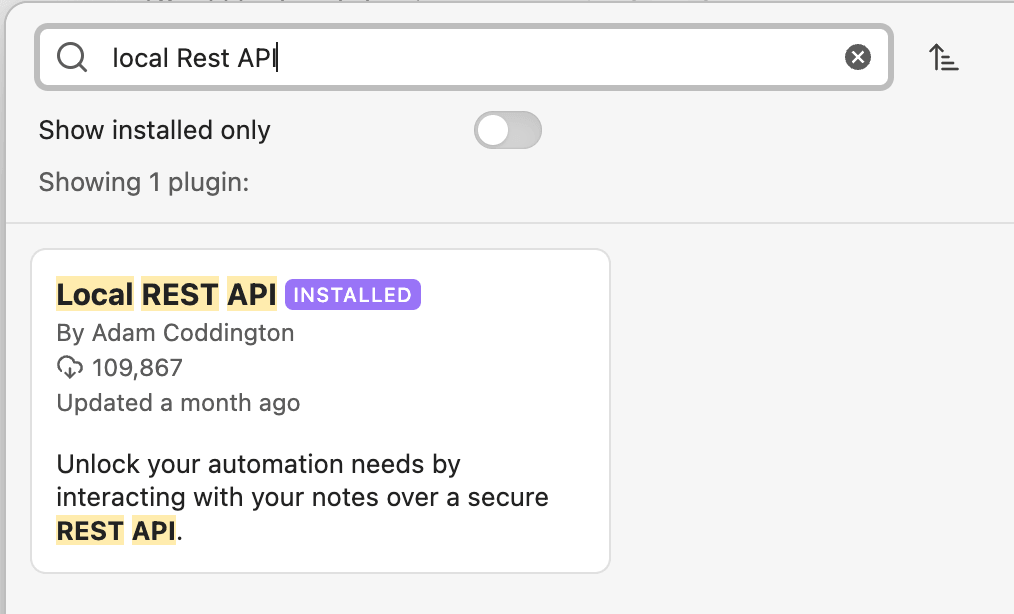
In settings, go to Community plugins -> Browse.
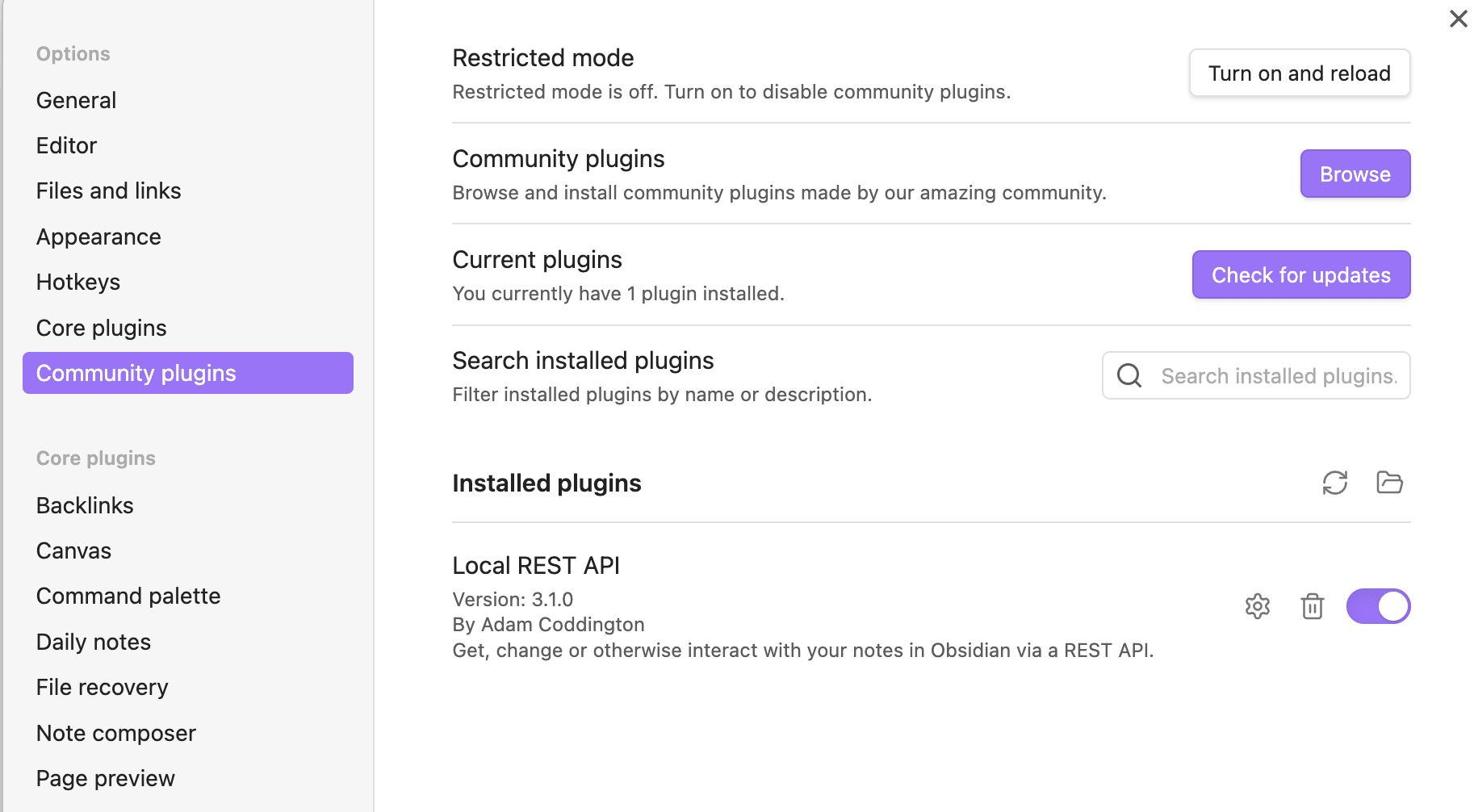 Search for the Local REST API plugin and install it.
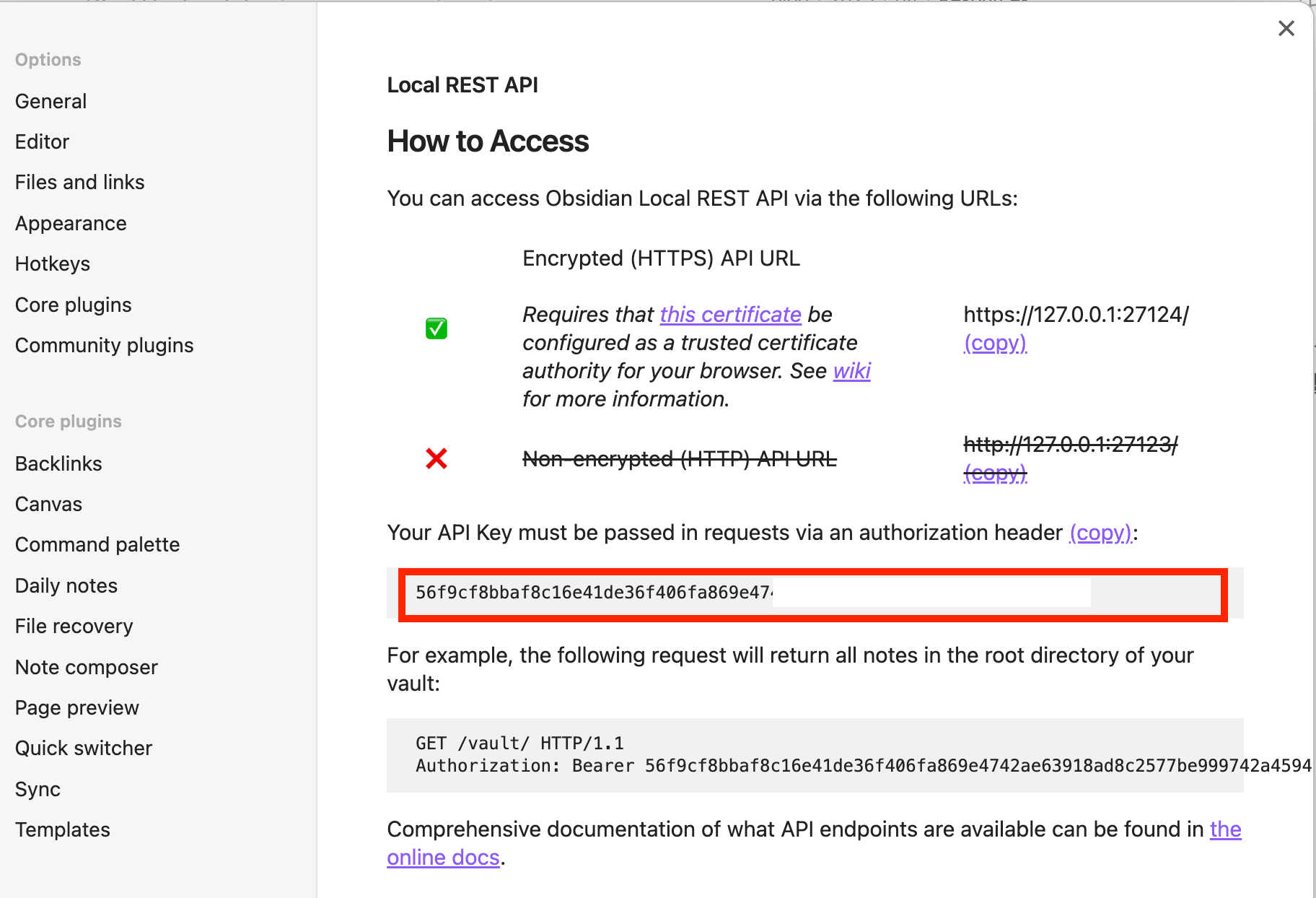
Save the local API key.
Publish Obsidian posts with Claude Desktop
Each MCP host and client needs configuration to use an MCP server.
Open the Developer tab in settings and register mcp-obsidian.
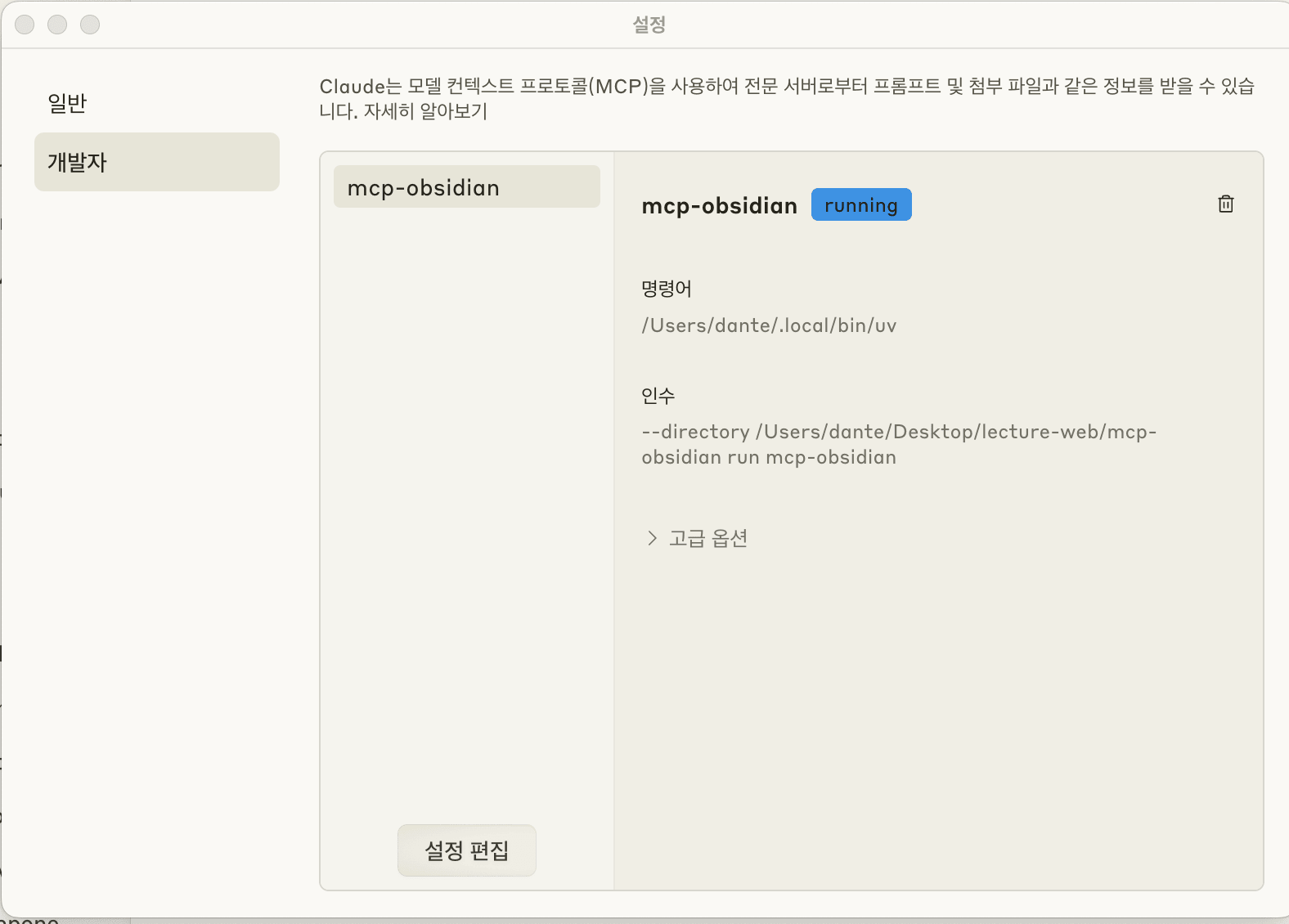
Edit the Claude settings
Open claude_desktop_config.json and paste the configuration by following the README in the obsidian-mcp GitHub repo.
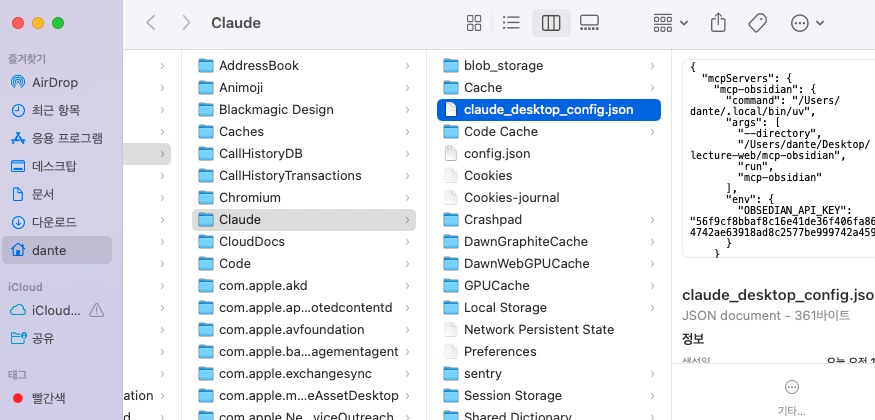
Write the configuration file like this.
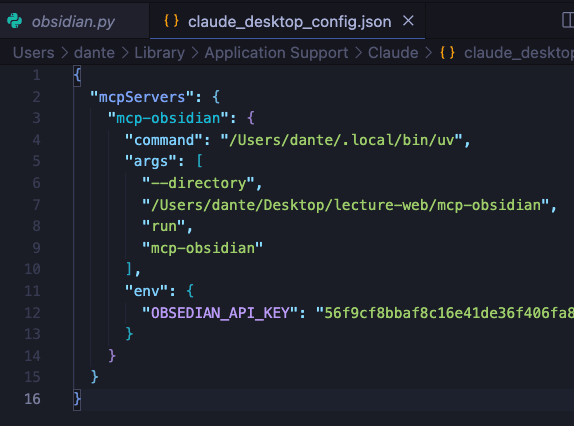 The meaning of each option is as follows.
-
command: Use the Python package manager uv to run the mcp-obsidian server. Copy the uv path printed by
which uvin your terminal. -
args: Arguments for the command. Use the path to your cloned mcp-obsidian folder.
-
env: Enter the local API key you saved from the Obsidian local REST API plugin.
Restart Claude
When you restart Claude, a tool indicator appears at the bottom.
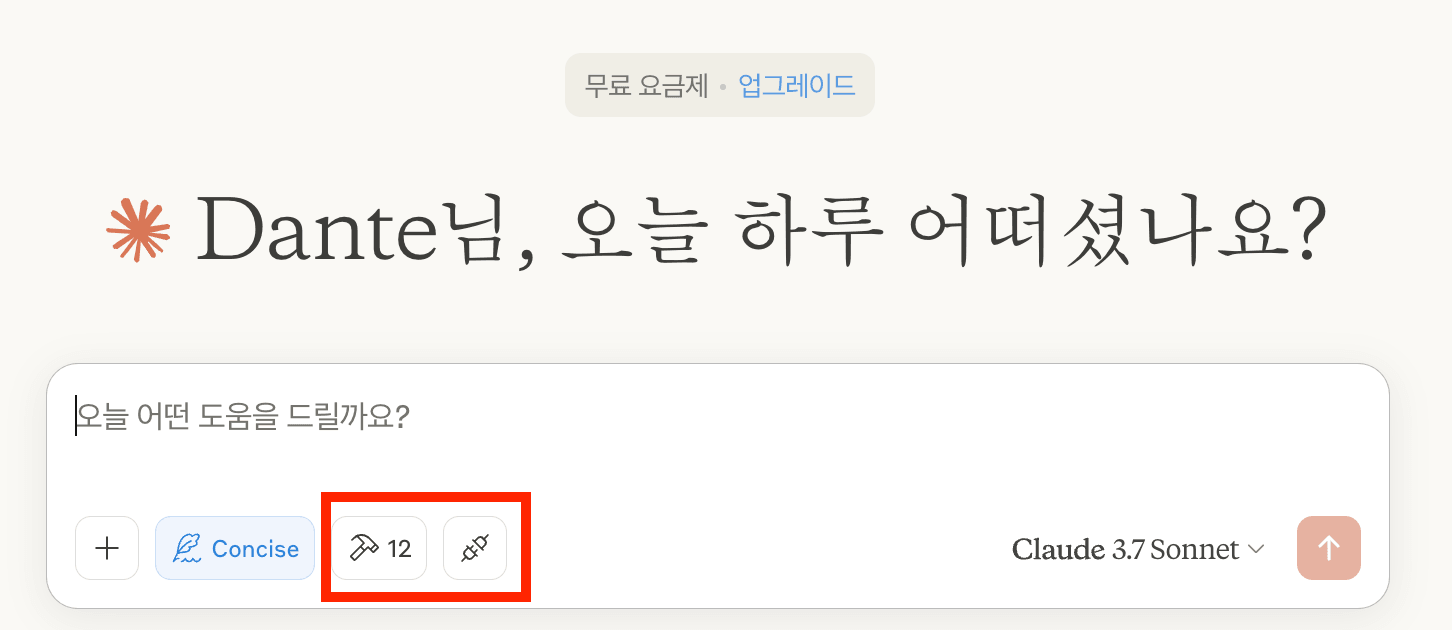
Then ask Claude to write in Obsidian. Claude can access tools provided by mcp-obsidian and write files to the local filesystem.
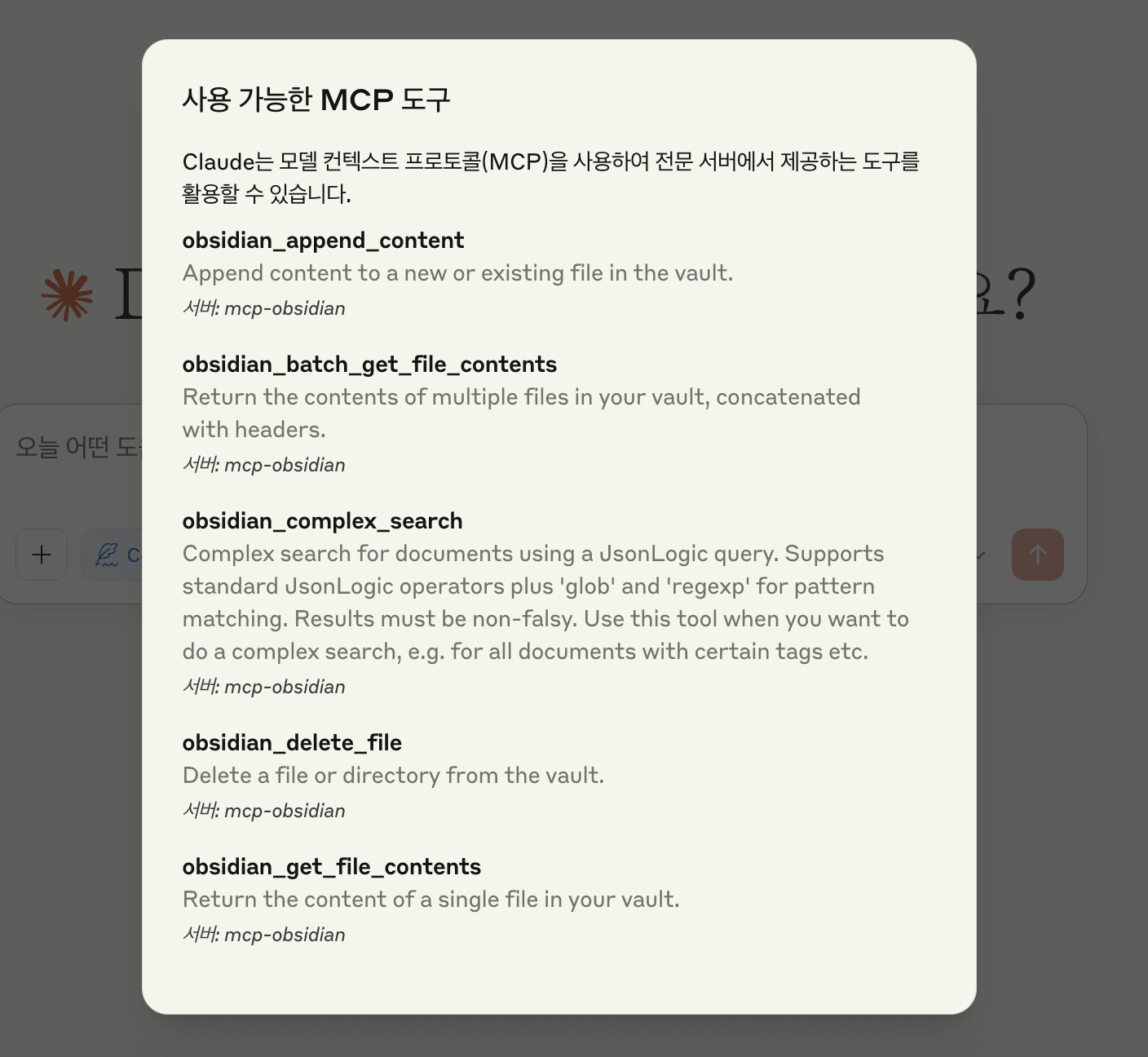
Tools provided by the mcp-obsidian server
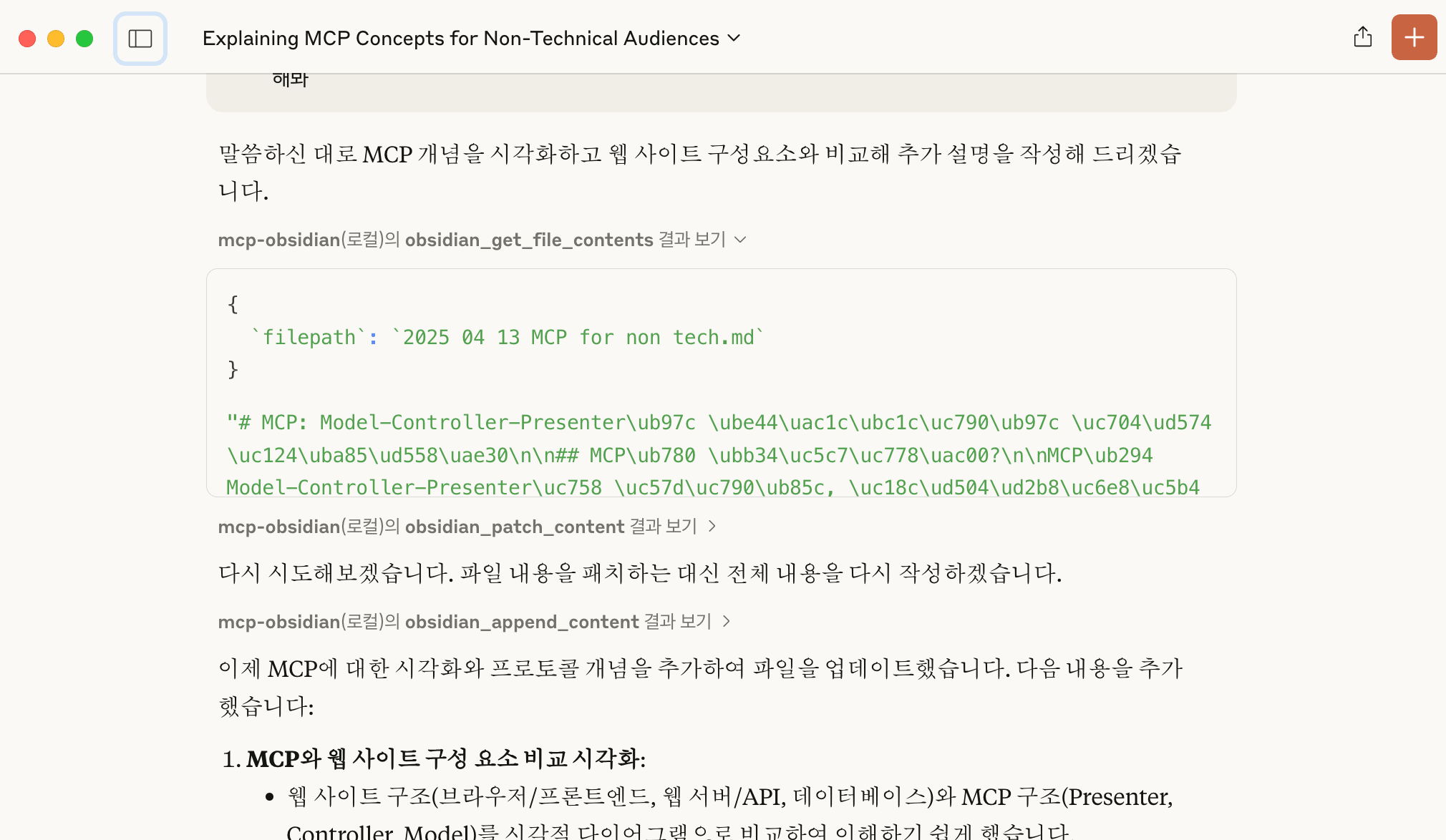
Claude reading existing Obsidian posts and writing through the MCP server
Write Obsidian posts with Cursor
Now we will connect Cursor.
Open MCP Servers settings.
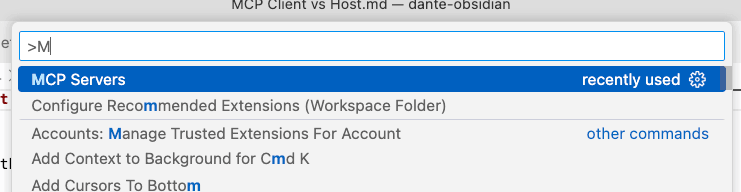
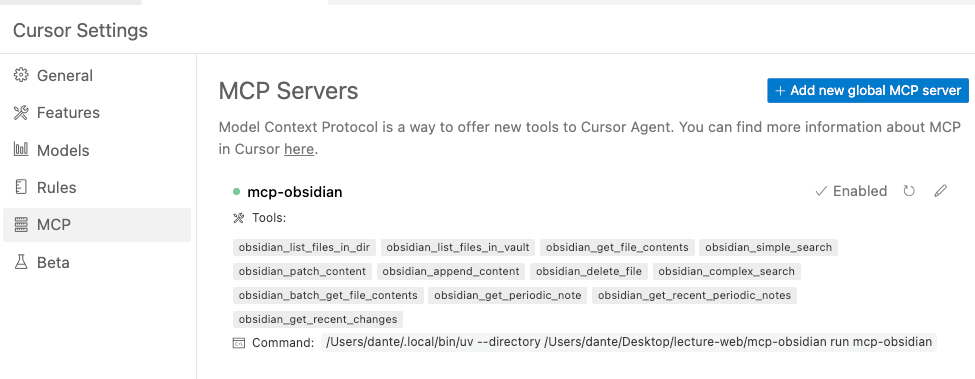
You can edit the mcp.json file. Use the same JSON as the Claude Desktop configuration.
If Cursor recognizes the MCP server, you will see it working like this.
I asked it to write an MCP-related post and link it to Obsidian. You need to use the Agent feature.
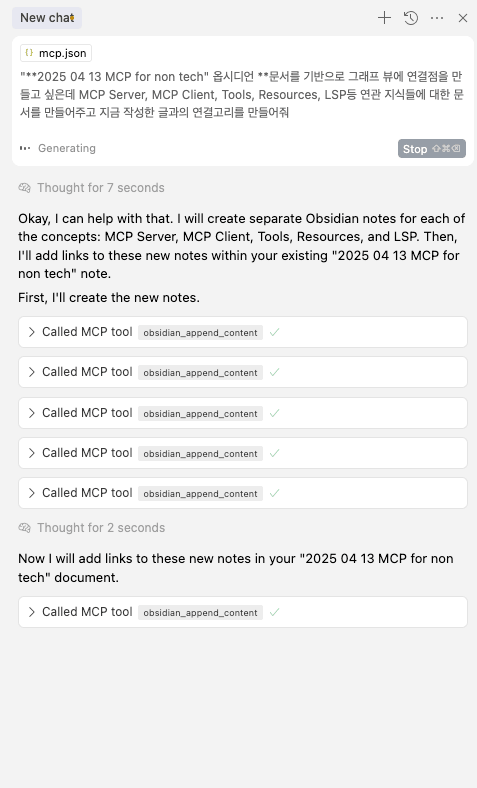
You can see it writing with MCP tools, and the Obsidian graph view shows the post links.
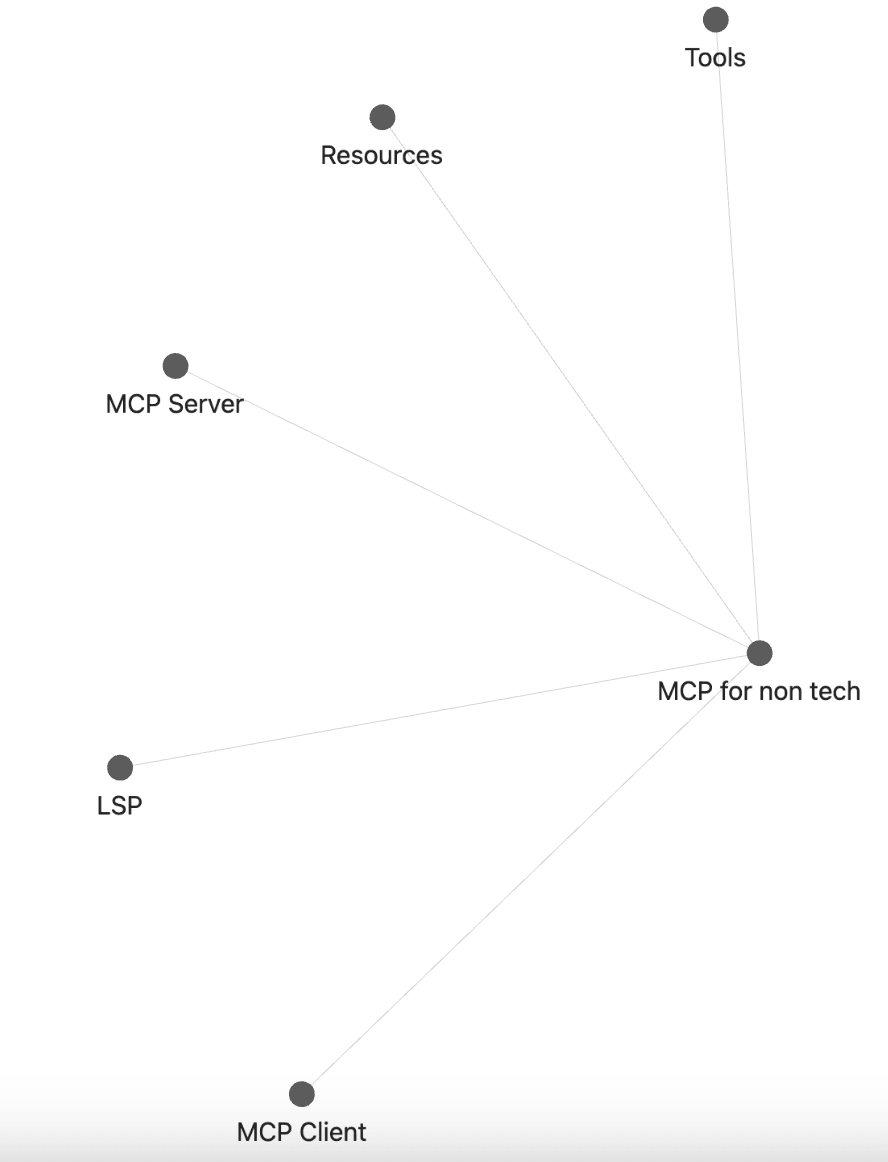
Now you can post to Obsidian using an MCP client instead of the website LLM model.
Today I wrote this to minimize technical terms for non-majors. Next time, we will dive into the protocol spec and SDK.